
Design 100x with the agent CAD studio
Run Claude Code, Codex and any coding agent in parallel — each in its own workspace, driving real FreeCAD, Blender, OpenSCAD, CadQuery, build123d, Fusion, Rhino, Revit, SketchUp, SolidWorks and AutoCAD.
Free for personal use · macOS, Windows & Linux · other downloads
 FreeCAD
 Blender
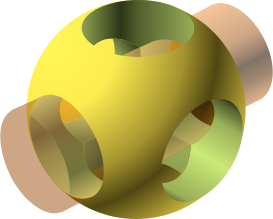 OpenSCAD
 CadQuery
 build123d
 Autodesk FusionRhino
 Revit
Revit SketchUp
 SolidWorks
 AutoCAD
 Claude Codezsh+
pad.Length = 30
hole.Diameter = 5
model.FCStdFan out agents
One prompt, N agents, N workspaces from the same commit. Each gets its own CAD session on its own port.
Watch the model live
A built-in 3D viewer reloads after every change, so you see agents work without switching windows.
Compare and keep
Line every result up side by side. Keep this commits and merges the winner, then cleans up the rest.
Git-native CAD
A project is a repo, a workspace is a worktree. CAD files go to git-lfs; code CAD diffs like code.
Three agents, three brackets, one merge.
Send one prompt to several agents at once. Each works in its own worktree on its own CAD session. Compare the live results and keep the best — Cxddie commits, merges and cleans up.
Claude Code6 mm · 2×Ø5 per leg Gemini5 mm · 54 mm base
CAD systems behind one interface: GUI apps, code CAD and apps with their own MCP
CLI agents launch in workspace terminals; 11 are wired to CAD
MCP tools every agent gets: inspect, run, look, save, export, open
Every CAD system looks the same to your agents.
FreeCAD and Blender run with a Python bridge inside their own window. OpenSCAD, CadQuery and build123d are rendered by Cxddie itself. Fusion, Rhino, Revit, SketchUp, SolidWorks and AutoCAD are driven through their own MCP servers, one document per workspace. Agents get the same tools every way.
FreeCAD
Parametric PartDesign bodies, sketches and booleans, driven live inside the FreeCAD window.
- Document
- model.FCStd
- Agents write
- Python
body = doc.addObject("PartDesign::Body", "Bracket")
sk = body.newObject("Sketcher::SketchObject", "Profile")
pad = body.newObject("PartDesign::Pad", "Leg")
pad.Length = 30The agents you already pay for.
Cxddie hands cxddie-mcp to each agent the way it expects — flags for some, a git-excluded project config for others — so it can see and edit the model right away.
Claude CodeGemini Qwen Code
 Charm Crush
 Amp
Amp Aider
Aider AntigravityKilocodeAuggieClineCodebuffContinue
 Kimi
Kimi Mistral Vibe
 Rovo DevPi
 OpenClaude
 TraeHermes
 DevinCommand CodeAutohand Code
Agent → cxddie-mcp → your CAD session.
Each workspace gets a CAD session on its own port. The agent talks MCP over stdio; cxddie-mcp talks to the session over a tiny JSON-lines protocol.
agent CLI ──MCP──▶ cxddie-mcp ──TCP──▶ CAD session
                                      ├─ FreeCAD / Blender bridge
                                      ├─ Cxddie code-CAD driver
└─ Fusion / Rhino / Revit / …, via their own MCPget_sceneList objects with type, visibility, bounding box and placement.run_codeRun code in the CAD app (Python, Fusion API, RhinoScript, C#, Ruby, AutoLISP), or replace and render the code-CAD source.screenshotRender the 3D view to PNG from iso, front, top, right, left, back or bottom.saveSave the active document, or Save As to a path.exportExport visible geometry to STEP, STL, GLB or OBJ.open_documentOpen a CAD file in the session and make it active.Everything a CAD agent loop needs.
Workspaces are worktrees
Every task lives on cxddie/<name> in its own git worktree. No stashing, no copying model files around.
One-click tool installs
Missing a CAD tool or an agent CLI? Install runs Homebrew or winget in a Cxddie terminal for you.
Built-in 3D viewer
A three.js view of every workspace model, the same for every CAD system, reloaded as the agent works.
Native viewport, one tab away
Flip to the real FreeCAD, Blender, Fusion, Rhino or Revit window when you want to grab the mouse and take over.
Source-of-truth models
In OpenSCAD, CadQuery and build123d workspaces the model is model.scad or model.py — reviewable in a PR.
STEP, STL, GLB, OBJ
Agents export real B-rep STEP from FreeCAD, Fusion, Rhino, SolidWorks and the Python kernels, IFC from Revit, plus meshes for printing and the web.
Built for teams
Sync a project with a shared remote. New workspaces lock their CAD file over git-lfs, so nobody edits the same model twice.
Pick up where you left off
Restart Cxddie and every workspace reopens its terminals, with Claude Code and other agents resuming their conversations.
Plan usage at a glance
The status bar shows how much of your Claude Code and Codex 5-hour and weekly limits is left, and when it resets.
Built for agents, not bolted on.
| Cxddie | AI chat plugin | Agent + scripts | |
|---|---|---|---|
| Any CLI agent, not one vendor’s chat | |||
| Several agents on one part in parallel | |||
| Isolated workspace per attempt (git worktree) | |||
| Agent sees the model (screenshots, scene graph) | |||
| Live 3D view without switching apps | |||
| Same tools across GUI CAD, code CAD and commercial apps | |||
| Compare results and merge the winner |
Questions, answered.
What is Cxddie?
Do I need to pay for it?
Which agents work with it?
Do my models leave my machine?
Does it work offline?
Which platforms are supported?
Get Cxddie
Free for personal use. Put your agents to work on real parts in minutes.